Senior Product Designer

Concept to MVP: 7 months
Start: April 2025

Product design · UX strategy
Information Architecture
Stakeholder Management
User Testing

Partners Banka: Currency Pockets & In-App Exchange

Designed two inseparable products for Partners Banka Super App. Currency pockets & an in-app exchange. Together those products enabled clients to hold, receive, and exchange 14 currencies directly within a single account, free of charge.

Context & Problem

Initially, bank only offered bank accounts in Czech crowns. Before the products' launch, any incoming transfer in a foreign currency was automatically converted to Czech crowns. Clients had no way to hold or use foreign currency without conversion.

The launch was driven by two factors: competitive pressure, since other banks already offered multi-currency accounts, and real client demand. We researched banks across Czechia and beyond to understand how they approached the problem.

Target audience: travellers, freelancers, and clients with foreign income or expenses that engage with multiple currencies on a daily basis.

Chapter 1: Currency Pockets

Currency Pockets are extensions of the main account, not separate accounts.

Clients can activate up to 14 additional currencies (totalling at 15 accounts including CZK), receive payments directly in foreign currencies, and manage their pockets from both the dashboard and the account detail page.

Key UX decisions

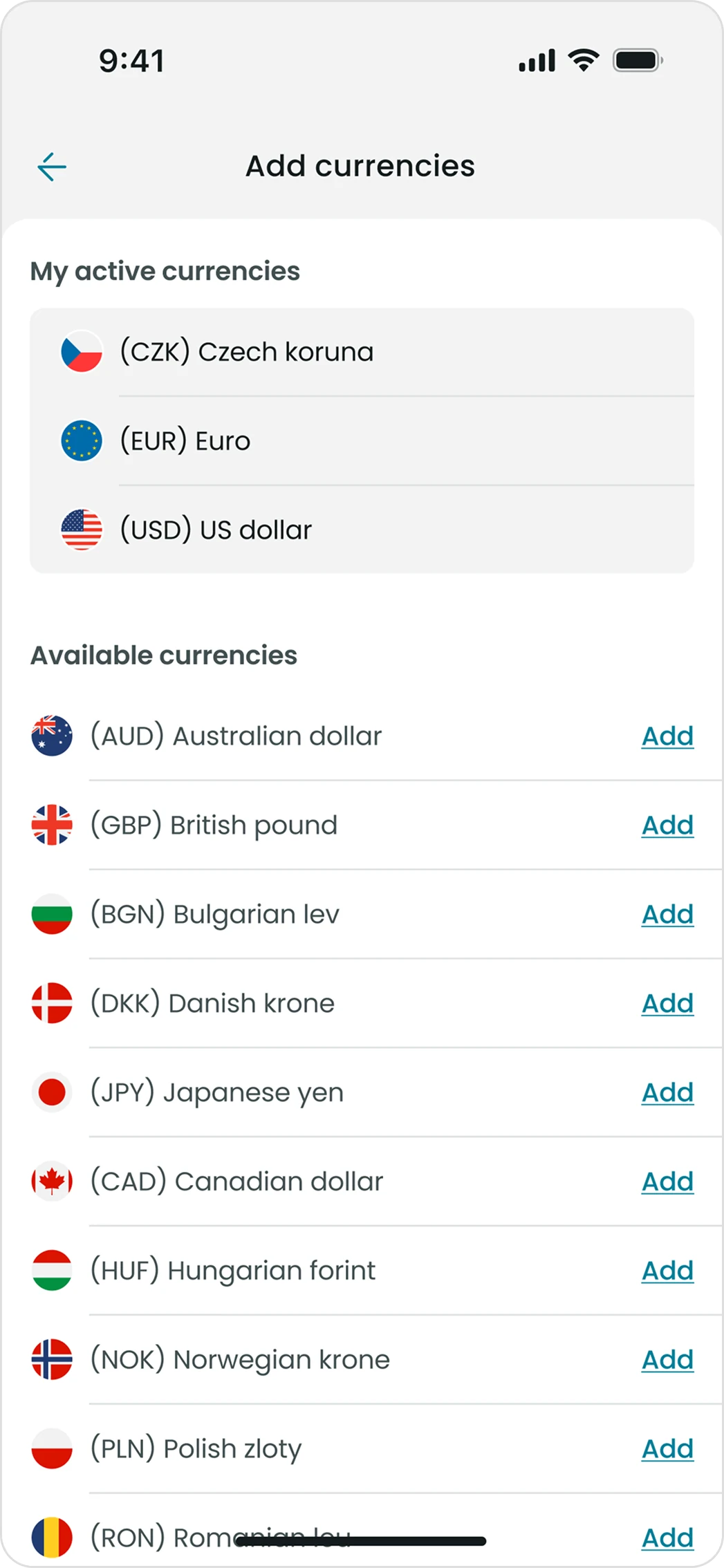
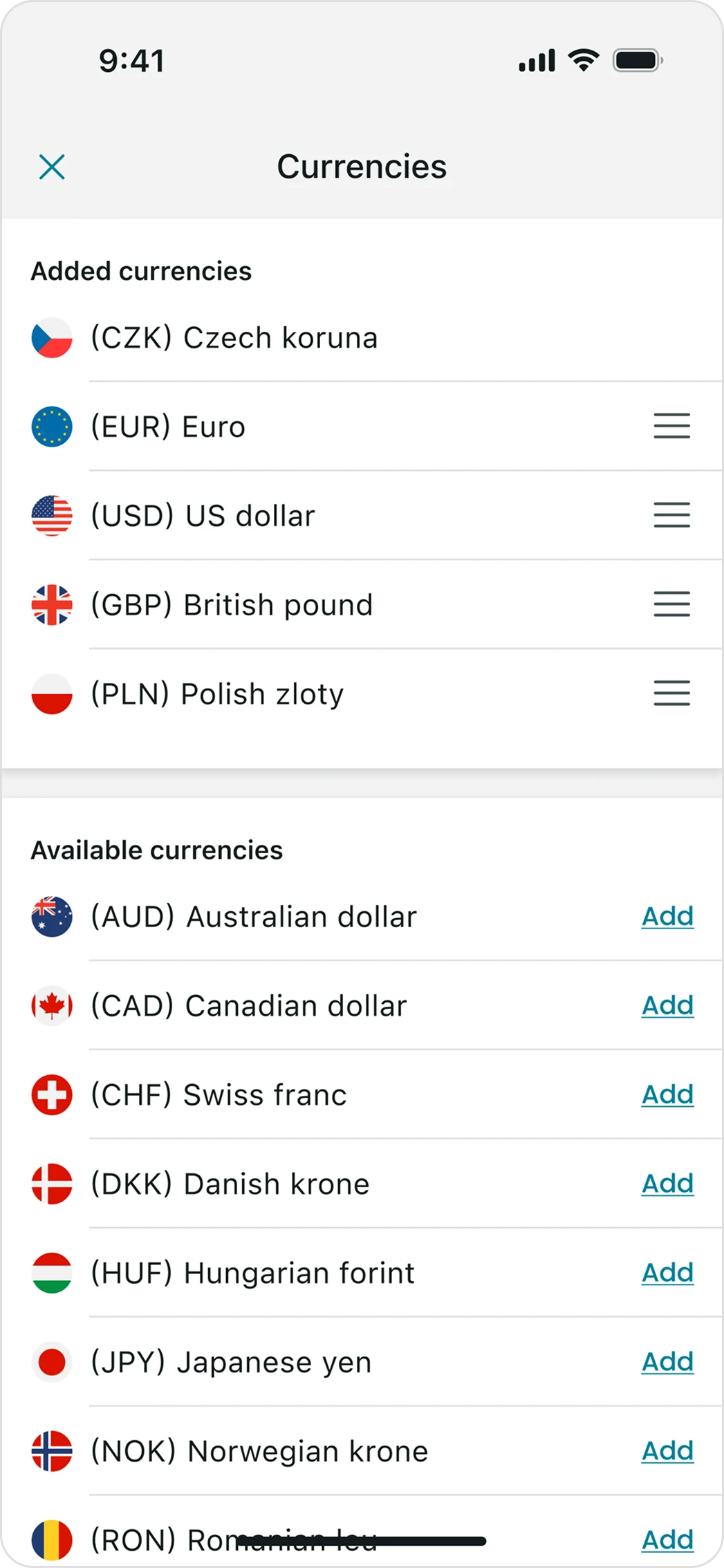
Merging two screens into one

The first version, designed by a colleague, separated currency activation and ordering screens. They showed essentially the same content and created an unnecessary extra step. My solution merged them into a single screen, reducing clicks without losing functionality and fitting naturally into the existing app structure.

1/3
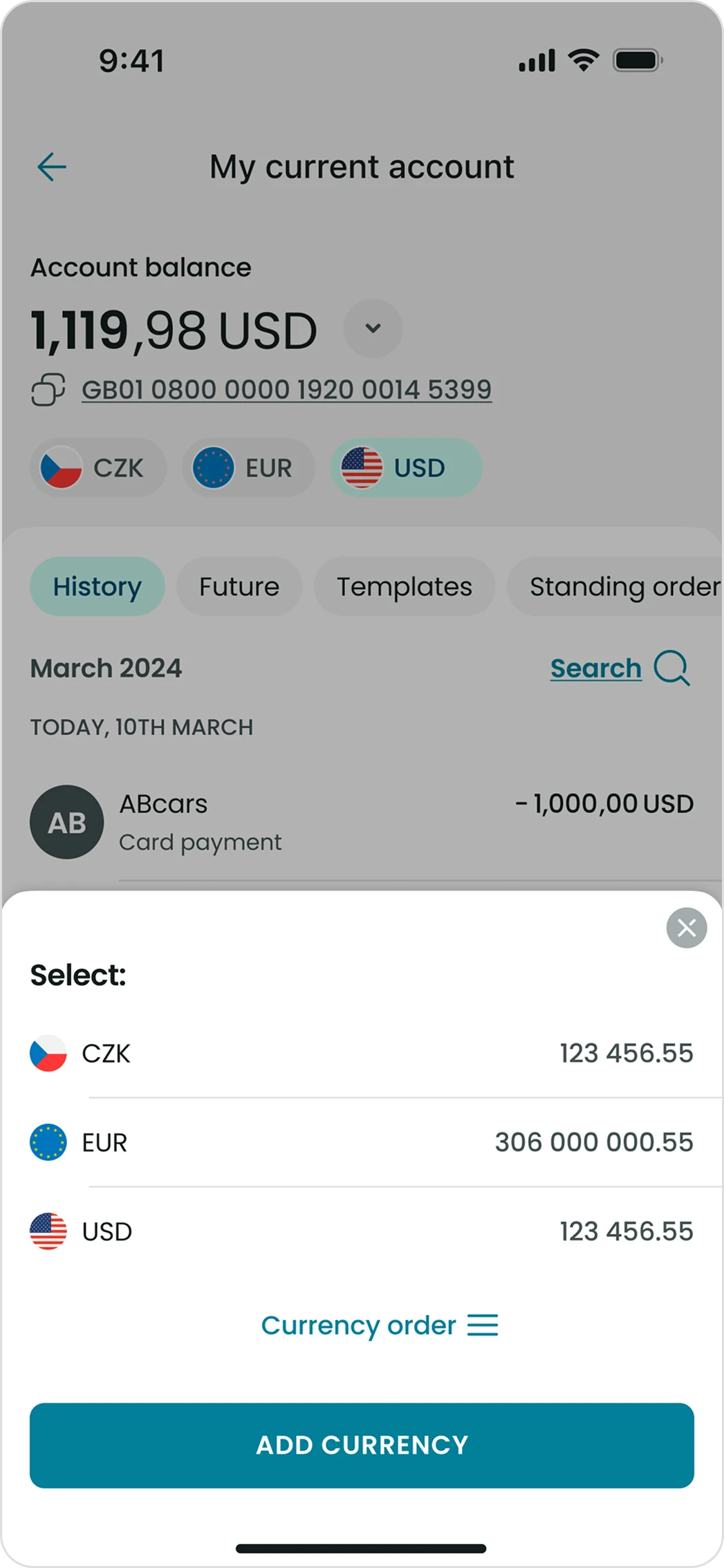
My current account with the currency selection sheet

Before · Screen 1

Add currencies screen

Before · Screen 2

Merged currencies screen

After

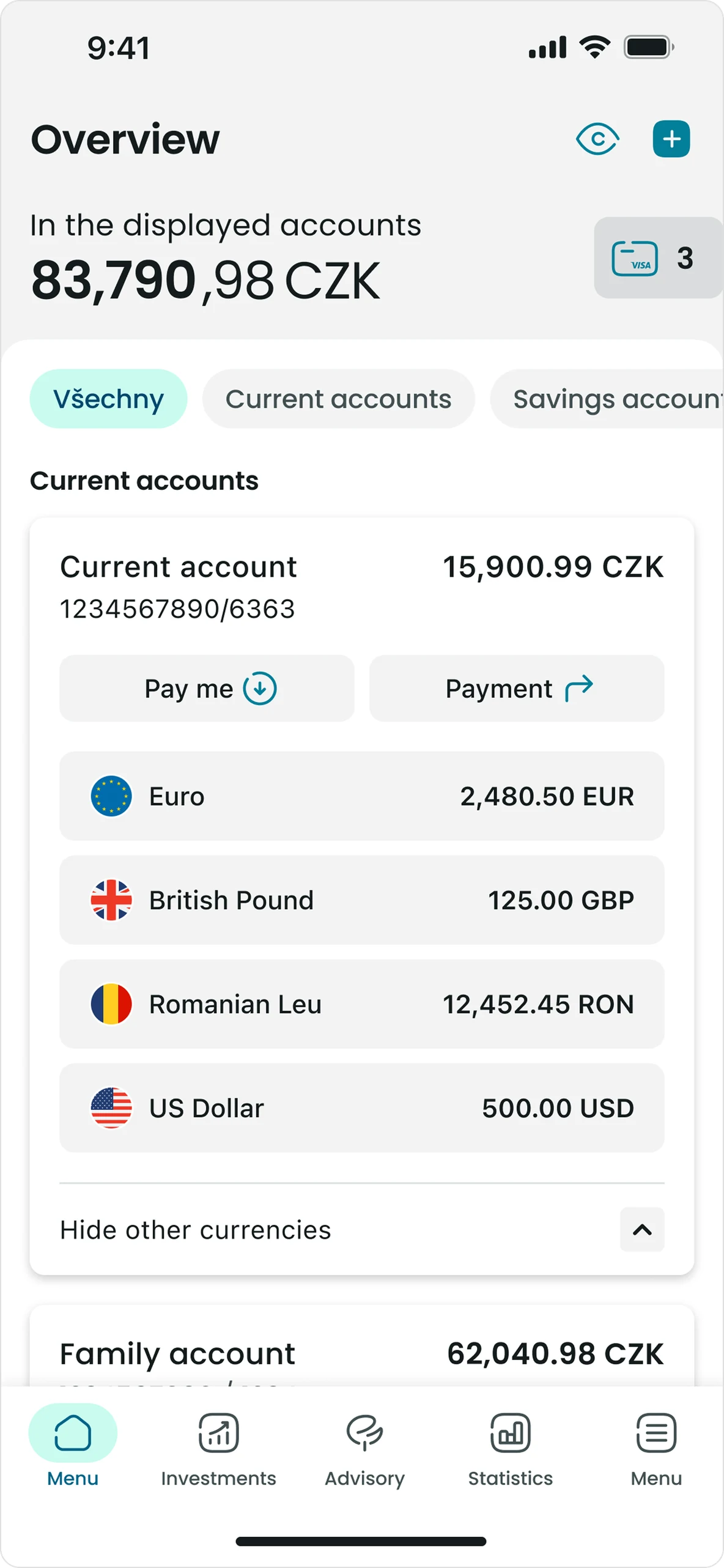
Dashboard widget

Currency pockets are presented directly on the dashboard. The widget expands to show balances per currency and remembers its state. If a client leaves the app with it open, it stays open on return.

2/3

Technical constraint

Current technical limitation leads to inability to deactivate certain currency if it was activated. An ability to hide currencies that are used less frequently is currently under development.

3/3
Overview with the currency pockets widget expanded

Dashboard

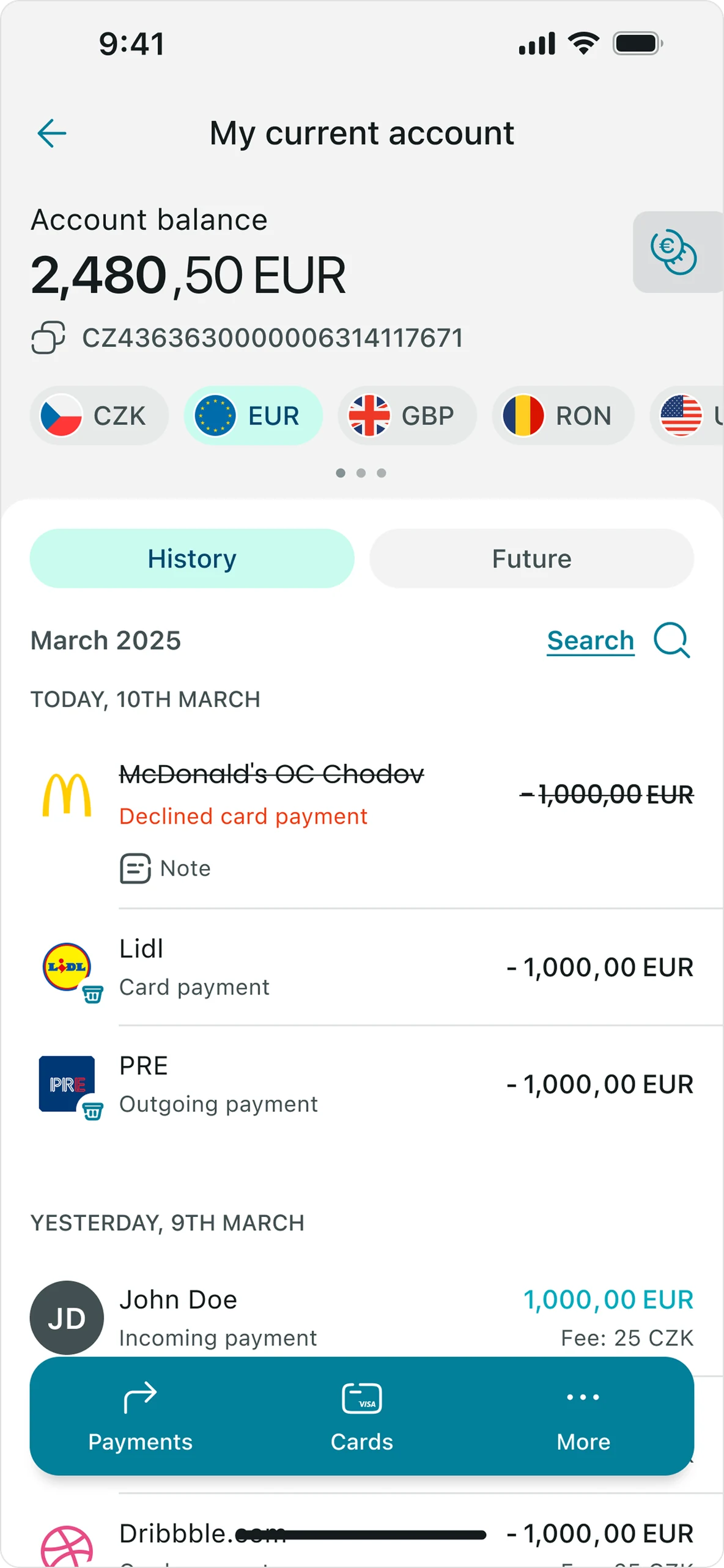
Account detail with currency chips

Account detail

Chapter 2: Exchange

Exchange allows clients to exchange funds between their own accounts and currency pockets directly within the app. It was designed in parallel with Currency Pockets. One product without the other wouldn't make sense.

The complexity wasn't one flow, it was a system of scenarios. Complex system of exchanges: within the same account, between accounts without currency pockets and with savings accounts. Each combination has its own logic and rare scenarios.

Key UX decisions

Clarity

Account balances for both source and target accounts are visible directly on the exchange screen. Client always knows what they have before confirming.

1/3

Transparency

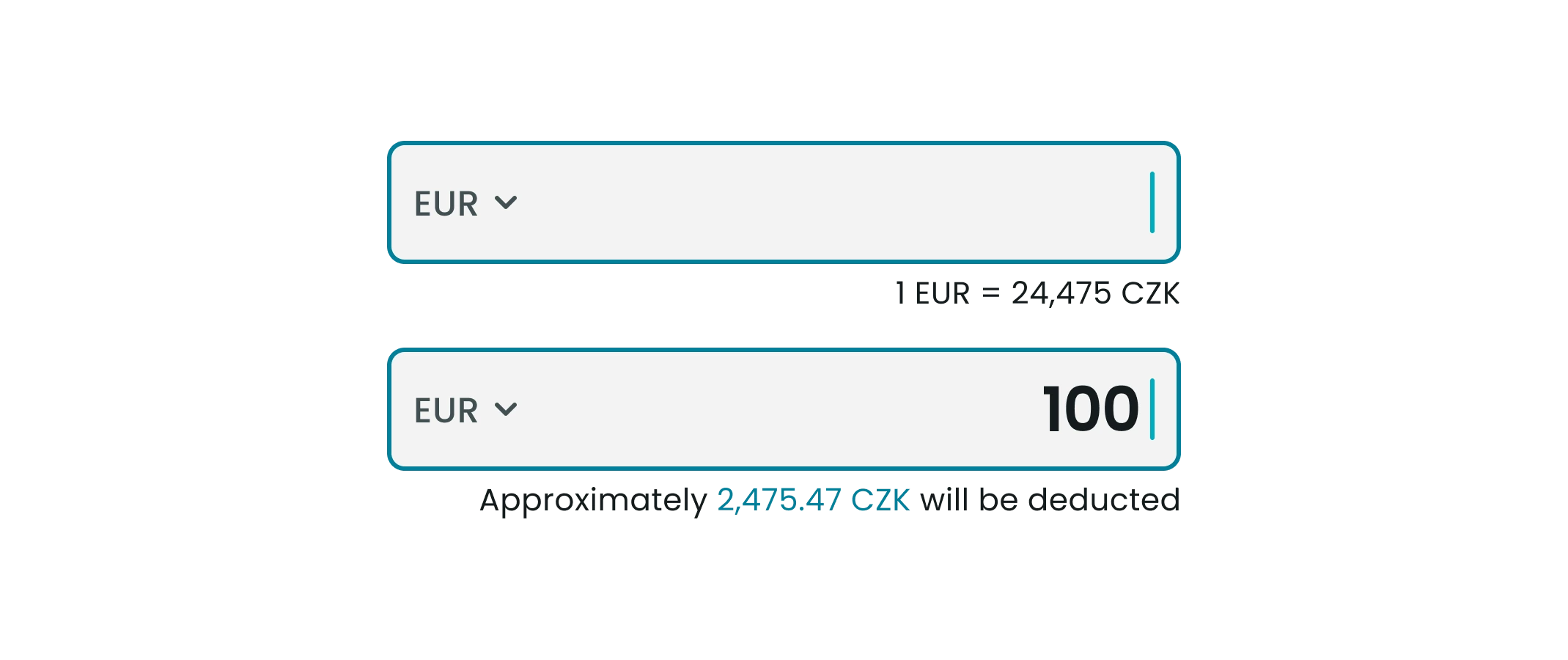
The exchange rate is shown before the client fills in the amount.

2/3

Exact currency

The client can choose which currency to use as the input currency. For example, when exchanging EUR → CZK, they can choose to specify the amount in EUR or in CZK. This prevents double conversion and gives the client control over the exact sum used for each currency.

3/3
Two exchange input fields with the rate and the approximate amount deducted

BE constraint & its design consequence

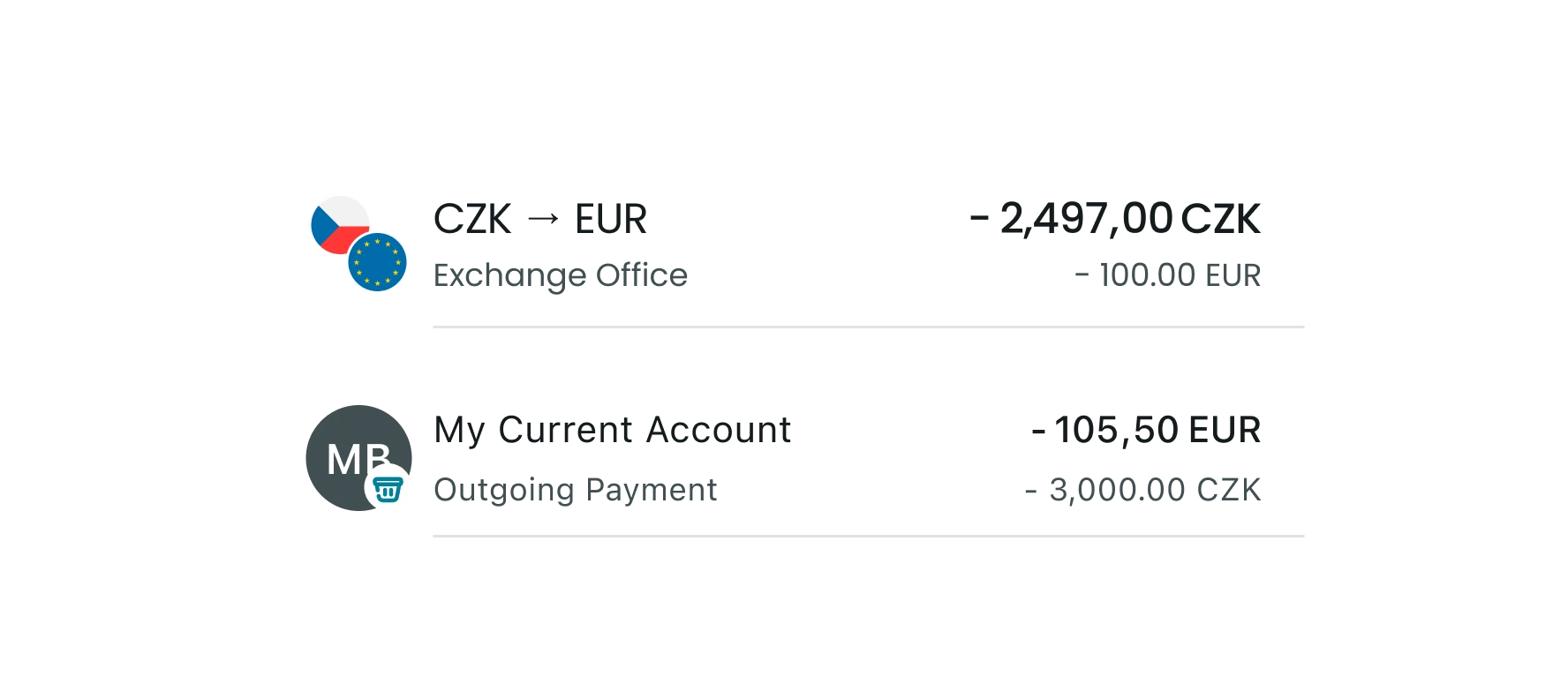
Exchanges between currency pockets technically pass through an intermediary account on the backend. Due to technical constrains the system is not always able to identify the source of a transaction.

The design compromise: when the source is known, we show the exchange direction with currency flags (CZK → EUR). Where it isn't, the display is simplified.

Two transaction rows, one with currency flags and one simplified

Drag & Drop

DnD allows clients to quickly initiate a transfer between their accounts directly from the dashboard.

Two options were considered: a simplified dialog overlay and a full-screen version. A small round of user testing showed that having two different behaviours depending on context felt like a bug and users expected consistency.

Decision: one option for all states. The simplified version remains only for clients without any currency pockets activated. Once pockets are enabled, the full-screen version is always used.

Results

Improving the payment form layout affected not just the new flow, it impacted all existing payment screens in the app.

Fixing this became the most time-consuming part of the project: reworking a large number of screens, covering all rare scenarios, and adding currency pocket options where needed.

What started as a focused improvement turned into a system-wide change.

Top 3 currency pockets
by usage
Euro US dollar Polish zloty
Clients activated
post-launch
> 17,5k
Most niche
currency pocket
South African rand

Reflection

Systemic thinking matters more than it seems

Changing one component pulled the entire payment layer with it. Neither I nor the team anticipated the scope at the start of the project. Now the first question I ask before any change: what else will this impact?

1/3

Defending design

Everyone on the team considered themselves a UX expert, which meant every decision got questioned. I learned to speak from reasoning instead of authority. And a few times, the pushback was right and I changed the design.

2/3

What I would do differently

Testing culture barely existed at the company at the time. I ran maybe two small rounds for the whole project. If I did it again, I'd insist on tracking from day one, if only so the "top 3 currencies" numbers I'm showing here weren't the first real data point we had.

3/3

Selected work